Count it. Verify it. Trust it.
Till Count walks your team through every drawer count. Open and close take about 3 minutes. Then it tells you plainly if the till is Accurate and Balanced. It works on Clover, or all by itself with no POS at all.
Using Square, Toast or another POS? Join the waitlist — we'll email you the day we support it.

Accurate
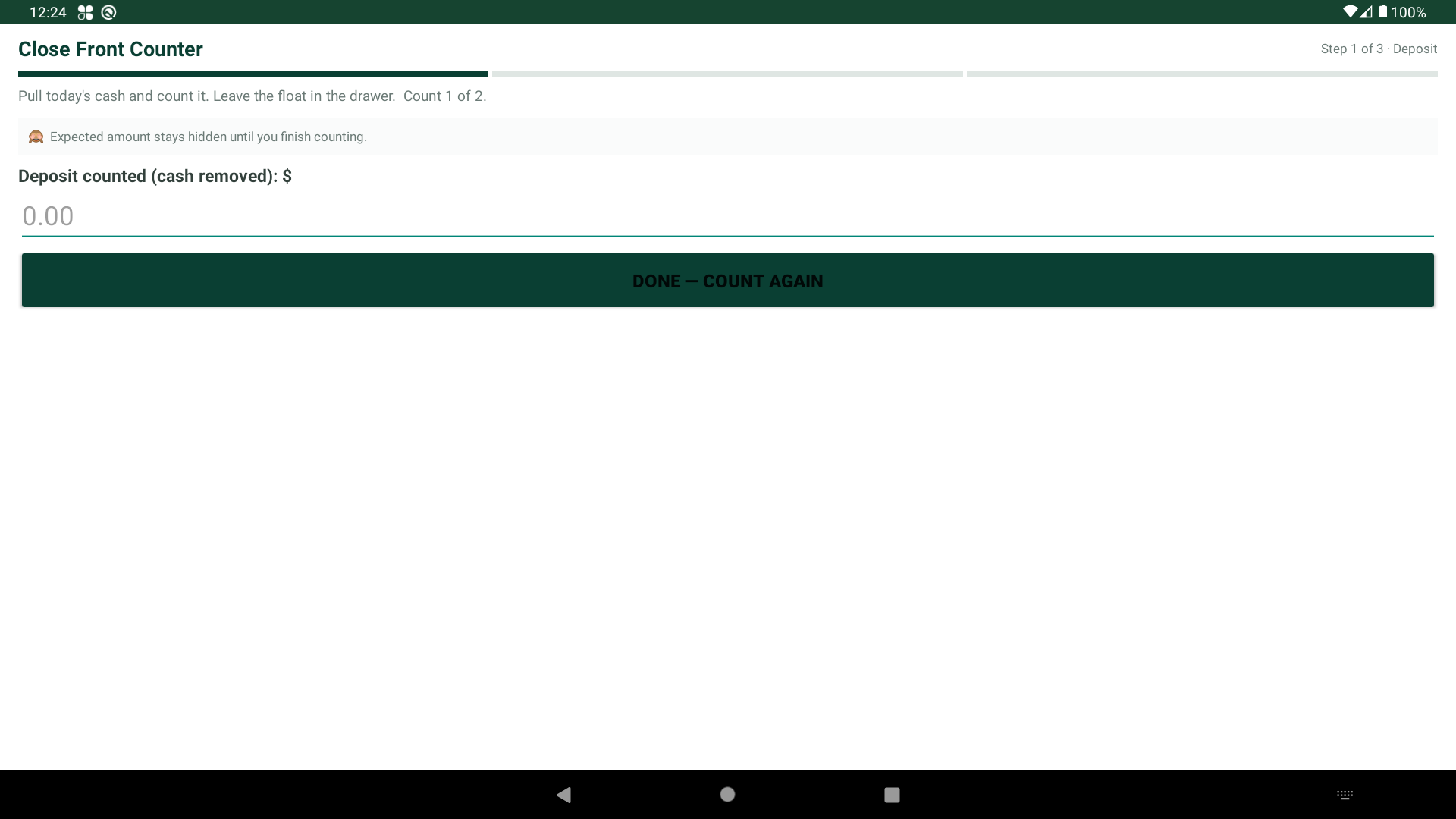
Every drawer is counted twice. The count is blind, so nobody can copy the expected number. If they don't match, a third count settles it.
Balanced
The day's deposit is kept apart from the drawer float. Both have to be right — not just the total.
Secured
Only the paired device can count its till. Employees can't see the manager tools.
How it works
Three steps. About three minutes.
No training. No spreadsheets. No count sheets to lose.
Count it
Staff open and close the drawer with a guided count. Big buttons. Plain words. Bills and coins one at a time. The expected number stays hidden. That's a blind count.
Verify it
Everyone counts twice. If the two counts don't match, a third count settles it. Then the app checks the deposit against the day's cash sales. It checks the drawer against your float.
Trust it
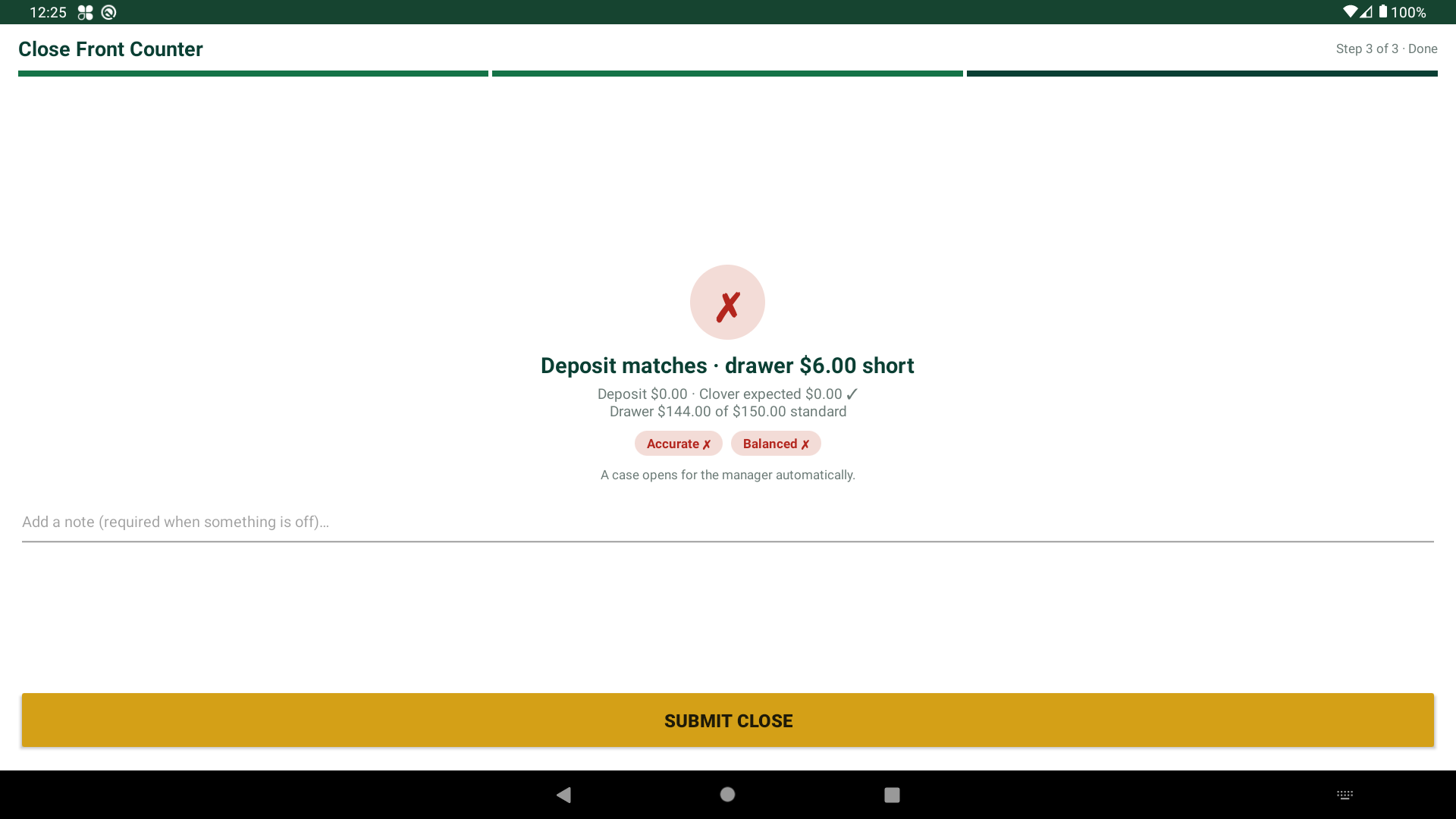
Every close ends with a plain answer: Accurate and Balanced. Or exactly what's off, and by how much. It's all saved in the history.
The difference that matters
The deposit and the drawer are not the same thing.
Most count tools only check the grand total. Till Count splits it:
- The deposit — the day's cash take. The app checks it against the day's cash sales minus cash refunds. Tips don't count. So you bank exactly the right amount.
- The drawer — the float that stays in the till, like $150. It's ready for tomorrow.
- A day can add up right and still be wrong. A drawer $6 over and a deposit $6 short look the same — until you split them.
- That's why every close shows two answers, not one.
Made for shops like yours
If cash crosses a counter, Till Count fits.





When it's off, you'll know why
Short drawer? A case opens — no blaming.
Most short drawers are honest mistakes. Till Count stays calm:
- A required note on any short close, while it's still fresh.
- Off by more than your set amount, like $5? A case opens on its own.
- Investigations walk the record and clear staff fast on an honest slip.
- Full history — who counted, when, and what changed.
Pricing
Simple plans. Pick the one that fits.
Basic $29 · Essential $49 · Pro $79 per month — each includes your first till.
See full pricing →Questions